
What are on-page messages?
By default, Adblock Plus displays messages to let you know about features or functionality that may improve your browsing experience. Here's an example:
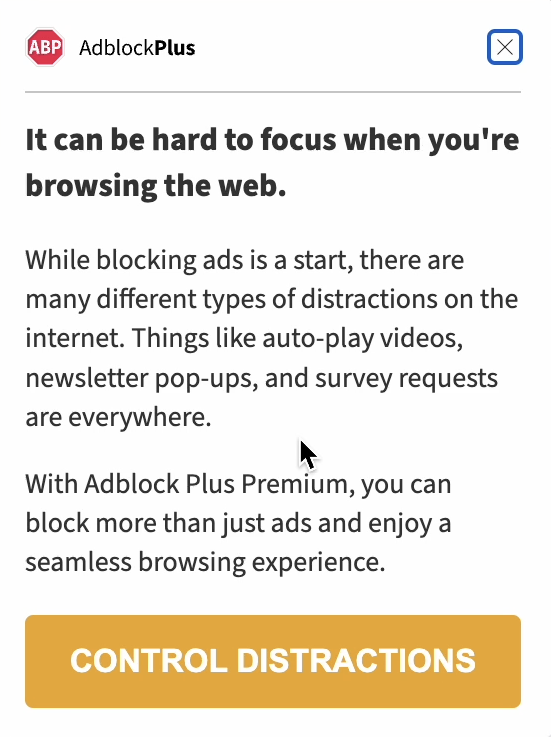
How can I stop these from appearing?
If you don't want to receive these messages, you can disable them with the following steps:
-
Click the Adblock Plus icon on your browser's toolbar. If you don't see it, make sure it's pinned: Hide or show the Adblock Plus icon on your browser's toolbar.
-
Click the gear icon on the menu to open the Options page.
-
Click the Advanced tab.
-
Deselect the option: Allow Adblock Plus to show occasional promotional messages.
Does this work for ABP's payment page?
Disabling Allow Adblock Plus to show occasional promotional messages will also prevent our update page from appearing when we update the extension. For more about when our payment page appears and how to prevent it, see this article: Why am I seeing the Adblock Plus payment page?
I disabled the option. Why am I still seeing notifications?
If you continue to see notifications after disabling this option, please report it to us: Submit a ticket.
Please attach a screenshot of what you are seeing, and be sure to include the URL/address bar and the Adblock Plus icon on your browser's toolbar in your shot.
Here are instructions for taking a screenshot if you need them: How to capture a screenshot.