Hide or show the Adblock Plus icon on your browser's toolbar

If you are trying to show the icon and you are unsure if Adblock Plus is installed, please see this article: How to check if Adblock Plus is installed.

You can easily hide or show the Adblock Plus icon on your toolbar:

Screenshot 2024-05-17 at 9.19.36 AM.png

Use the steps for your browser below.

Chrome

Show or Hide the icon

  1. Click the puzzle piece icon.

  2. Next to Adblock Plus, click the pin icon.

Edge

Show the icon

  1. Click the puzzle icon.

  2. Click the view/hide icon next to Adblock Plus - free ad blocker.
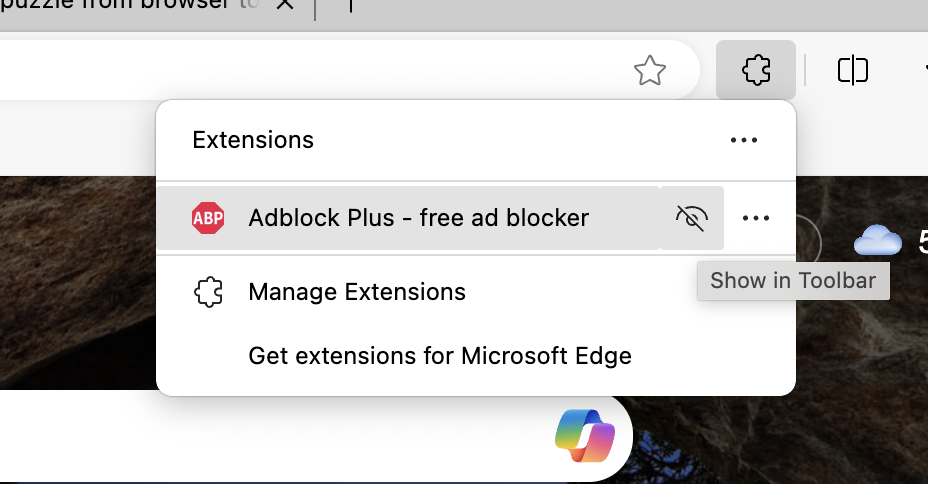
Edge - puzzle piece show in toolbar.png
💡

Still don't see the Adblock Plus icon? The address bar may be hiding it. Click on the right-hand side of the address bar and drag to the left to make space. 

Hide the icon

  1. Click the puzzle icon.

  2. Click the view/hide icon next to Adblock Plus - free ad blocker.
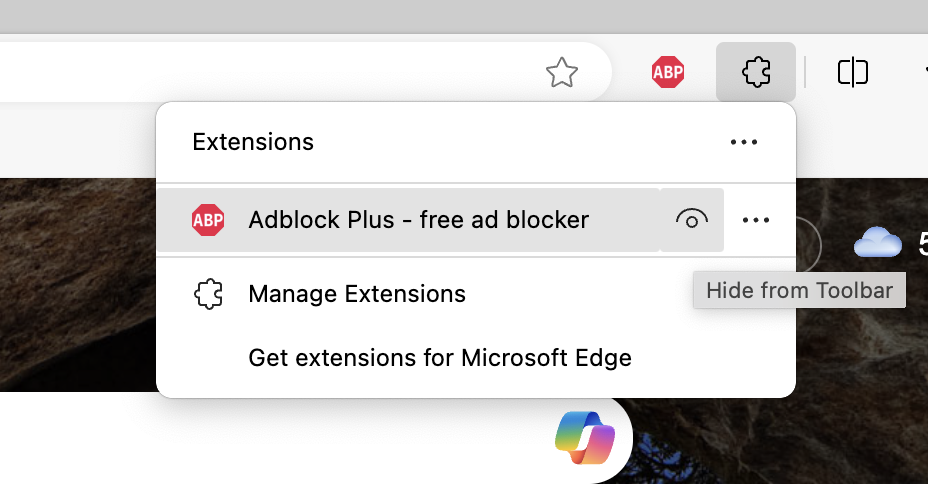
Screenshot 2024-04-03 at 5.21.43 PM.png
Firefox

Show the icon

  1. Click the puzzle piece icon, located on the top right.

  2. Find Adblock Plus.

  3. Click the gear icon next to Adblock Plus.

  4. Select Pin to Toolbar.

If you use Private Browser Mode, make sure to enable Adblock Plus to also run in private windows: Enable Adblock Plus in incognito or private mode.

Hide the icon

  1. From the Firefox toolbar, right-click the Adblock Plus icon.

  2. Click Pin to Toolbar to clear the checkmark and remove the icon.

Opera

Show the icon

  1. Click on the cube icon.

  2. Next to Adblock Plus, click on the pin icon.

Hide the icon

  1. From the Opera toolbar, right-click the Adblock Plus icon.

  2. Select Unpin.

Safari (macOS)

Show the icon

  1. From the Mac top menu bar, go to Safari > Settings...

  2. On the Extensions tab, locate Adblock Plus and select the check box labeled ABP Control Panel.

Hide the icon

Option 1:

  1. From the Mac top menu bar, go to Safari > Settings...

  2. On the Extensions tab, locate Adblock Plus and clear the check box labeled ABP Control Panel.

Option 2:

  1. Open Safari.

  2. Hold down the Command key and drag the Adblock Plus icon from the Safari toolbar.


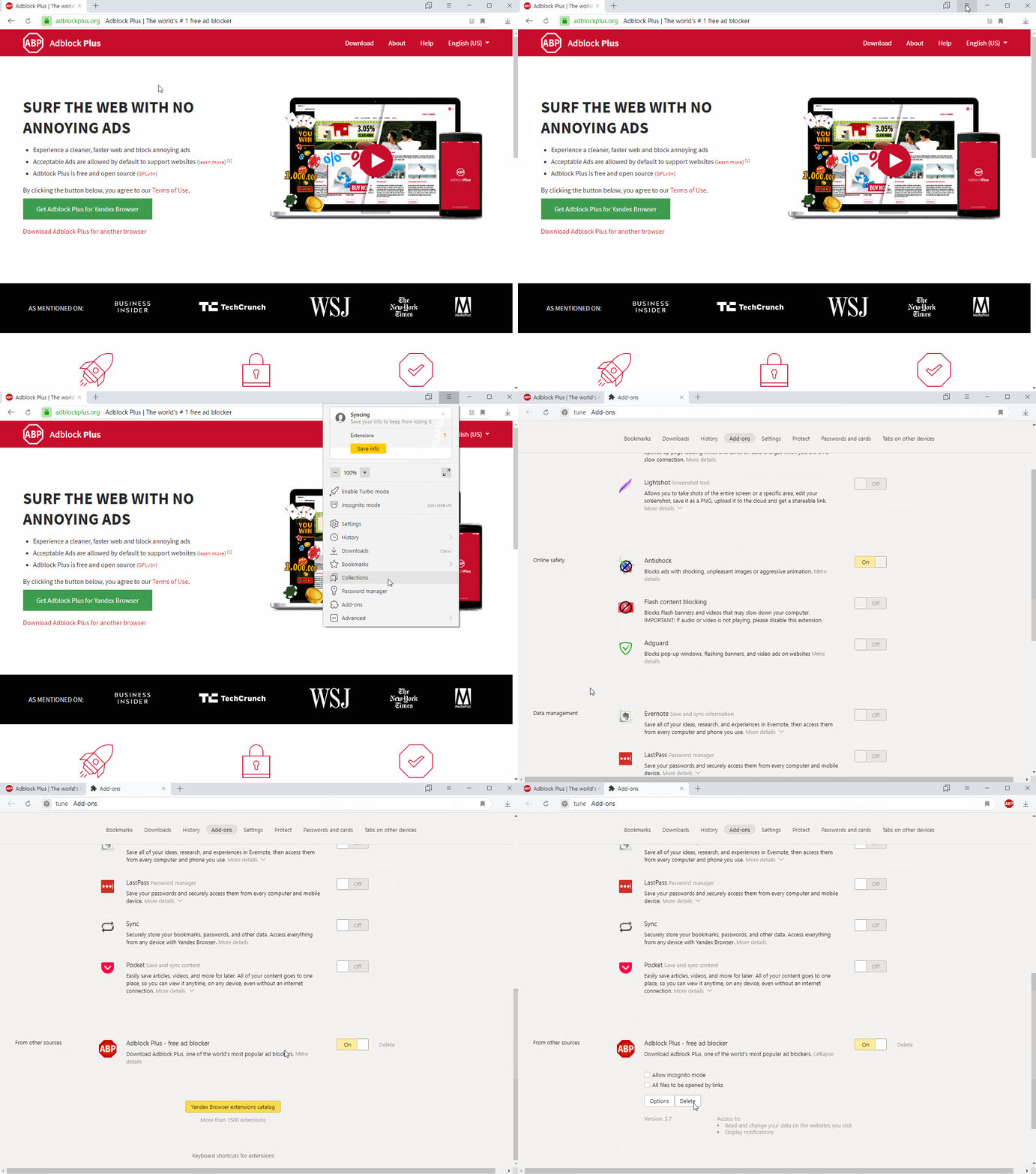
Yandex.Browser

Show the icon

  1. Click the Yandex Browser menu icon and select Add-ons.

  2. Locate Adblock Plus and click More details.

  3. Click Show button.

  4. Close the tab.

ABP_AddIcon_Yandex.gif

Hide the icon

  1. From the Yandex Browser toolbar, right-click the Adblock Plus icon.

  2. Select Unpin.


If the information in this article didn't help, let us know so we can help you find a solution: Submit a ticket.