
What does the ABP counter show?
The ABP counter is shown below on the browser icon and the pop-up menu. The number indicates how many ads are blocked on the page.
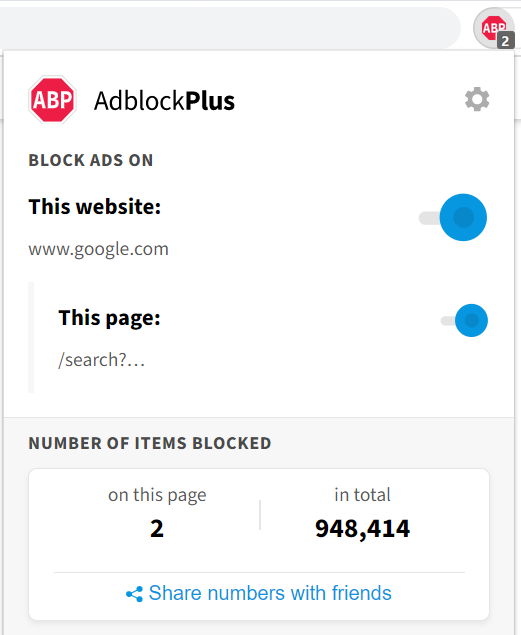
However, the number on the ABP counter does not account only for the number of ads blocked. Depending on your settings, it may include other intrusive page elements.
Why is it such a high number?
Many users question why the numbers are sometimes too high, or why there are any numbers at all if there are no ads on the page. Below you will see a list of possible causes.
Too many filter lists
Having too many filters means that more elements in the page are being blocked, reflecting on the ABP counter.
EasyPrivacy enabled
EasyPrivacy blocks tracking server requests, which means that the numbers showing in the counter are not only ads, but also tracking requests.
Fanboy`s Social Blocking List enabled
This particular list blocks all social media icons on the page. The number of blocked icons is accounted for on the ABP counter.
ABP Filters enabled
This is one of ABP’s default filter lists. It is used for countering ad-blocking circumvention attempts, and it has some elements that can lead to the number increasing.
Custom filters
If you add broad custom filters or install a low-quality custom filter list, you may be blocking extra elements on a page.
Unintentional blocking
Some web resources may be blocked because they look like ads but aren't. Also, there can always be bugs in the extension or in a recommended filter list.
Long page views or repeating requests
If you stay on the same web page for a long time, this might lead to many requests being blocked over this period of time (especially if the same request is made repeatedly, such as for tracking).
Improper handling of blocked requests
Usually, websites either ignore when a request fails or implement some form of graceful degradation (e.g., falling back to an installed system font when a font file fails to download). However, some websites simply keep trying. And if they don't put a condition in place to stop retrying, the counter can increase infinitely.
It is a vicious cycle: the website tries to download, and we block it. It tries to download it again, we block it again, and so on.
Malware
Malware and other extensions could also inject ads and other kinds of content into websites, which we might block. This could cause the counter to go up even on websites that aren't expected to have any ads on them.