
What is the Issue reporter?
The Issue reporter allows you to easily report issues like unblocked ads and display issues on websites. Our filter list authors review the reports and make changes and improvements based on the reports we receive.
Issue reports don't typically receive a response, so this shouldn't be used when you have a question or need help with Adblock Plus itself (e.g., not being able to block elements on the page, trouble allowlisting websites, updating filter lists, or any other issues with Adblock Plus). If you need assistance with these types of issues, please submit a ticket.
The Issue reporter is disabled in incognito mode.
How do I report an issue?
These steps work for Chrome, Firefox, Edge, and Opera.
-
Open a webpage where you can reproduce the issue.
-
Wait for the issue to happen. When it does, click the ABP icon on your browser's toolbar.
-
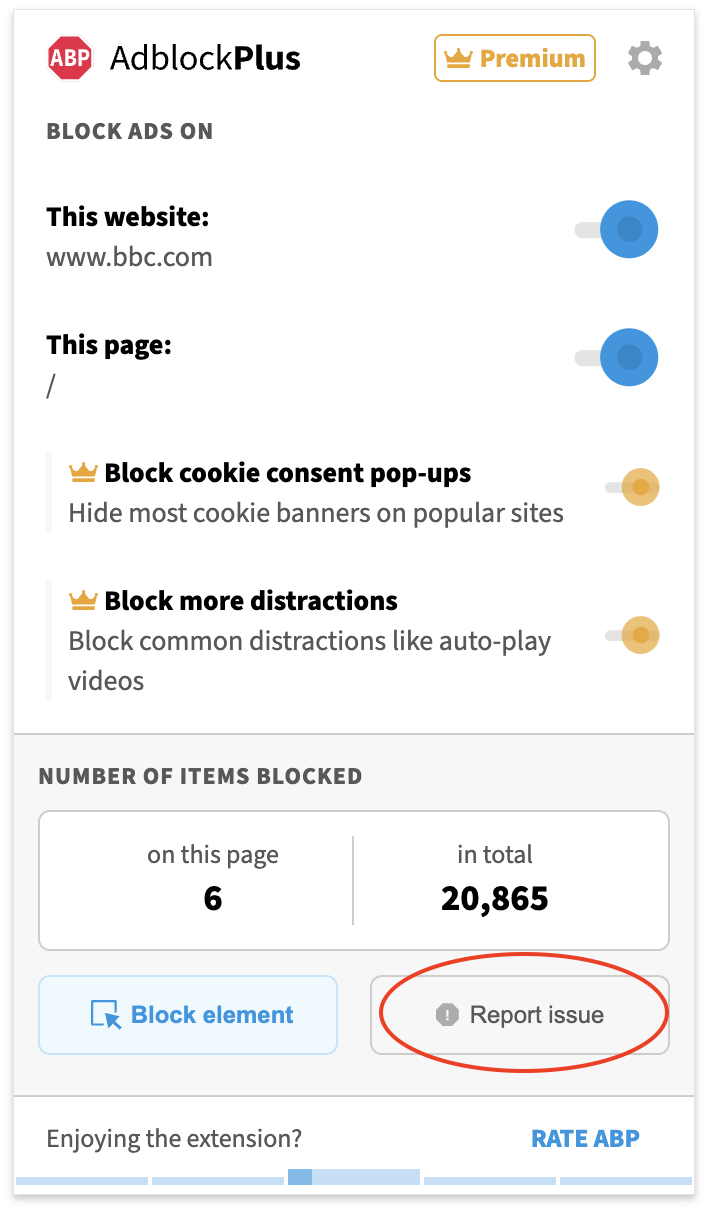
On the pop-up menu, click on Report Issue.
-
A new tab will open. A screenshot will be appended to your report. Feel free to hide any information you'd prefer not to display. Select the option that best applies to your situation. Click Continue.
-
Be sure to select the options:
-
Include information about my browser configuration, as well as a list of active extensions I'm using
-
Include debug data to help our team diagnose the issue faster
-
If you are signed in, select Use this email address. If you are not signed in, input your email in the Email field.
-
Click Continue.
-
Select the option "I agree to share this report, including any information I provide and available technical data, with the Adblock Plus support team for troubleshooting."
-
Click Send Report.
Issue reports are reviewed by our filter list authors but they will not receive a response. If you need assistance with an issue report that you’ve submitted, and you aren’t already in touch with our support team, please submit a ticket.