Manage your Adblock Plus account

On the account management page you can see your renewal date, update your billing details, and cancel the auto-renewal of your subscription. The account management page can only be accessed using a desktop browser.


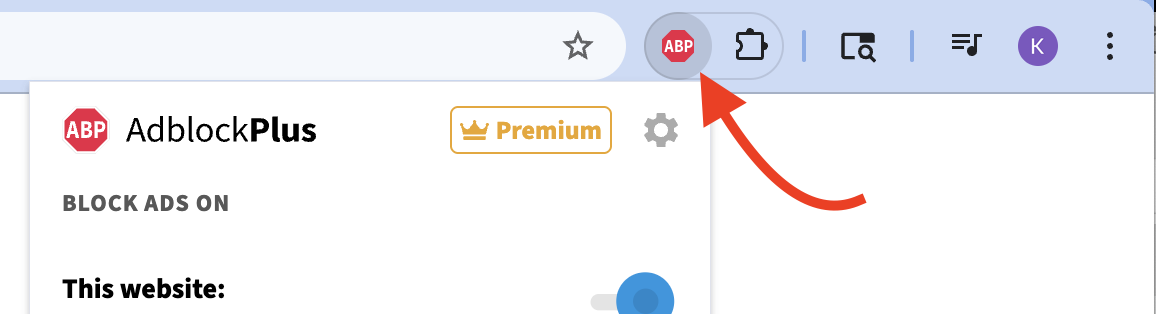
1. Click the Adblock Plus icon on your browser's toolbar.
 

https://eyeo.atlassian.net/wiki/download/attachments/1828683834/69c2d4fbb1bf0.42433288171795.png?version=1&modificationDate=1774376187796&cacheVersion=1&api=v2


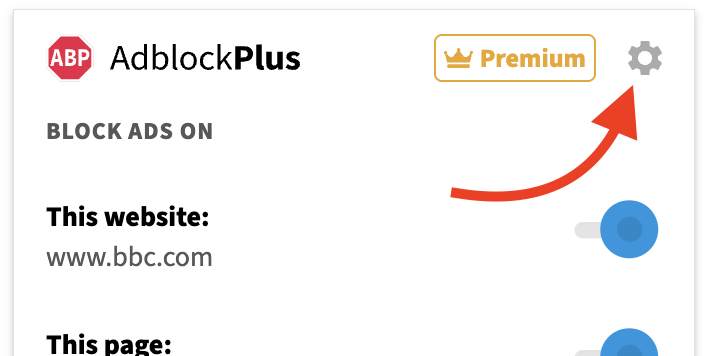
2. Click the gear icon on the pop-up menu.
 

https://eyeo.atlassian.net/wiki/download/attachments/1828683834/69c2d4fca00fc.42433288174483.png?version=1&modificationDate=1774376188728&cacheVersion=1&api=v2


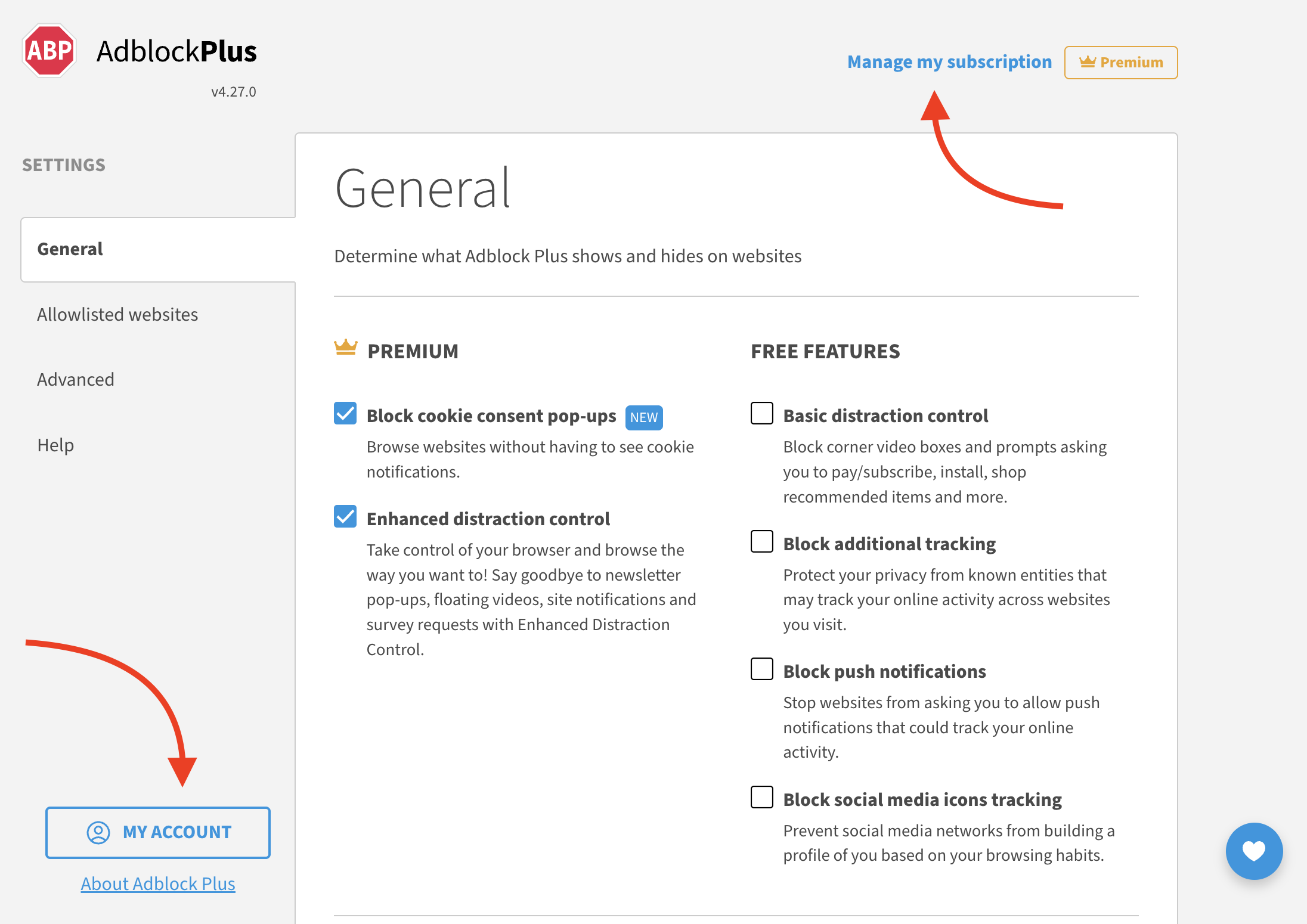
3. On ABP's Settings page, click on Manage my subscription or My Account


https://eyeo.atlassian.net/wiki/download/attachments/1828683834/69c2d4fd50b76.44754898690067.png?version=1&modificationDate=1774376189440&cacheVersion=1&api=v2


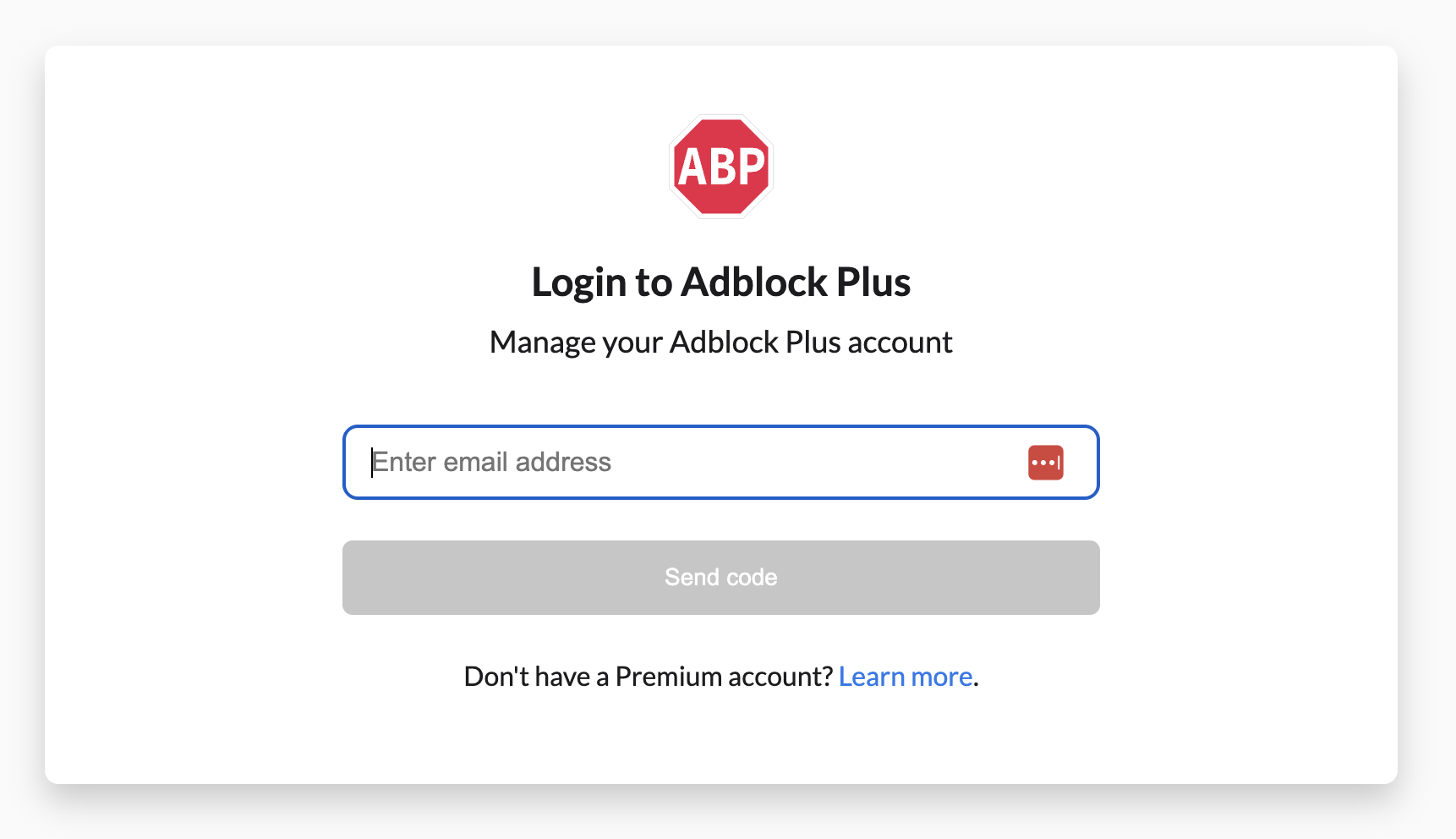
4. Enter the email address associated with your subscription and click "Send code". 


https://eyeo.atlassian.net/wiki/download/attachments/1828683834/69c2d4fe066a8.44754898694291.png?version=1&modificationDate=1774376190095&cacheVersion=1&api=v2


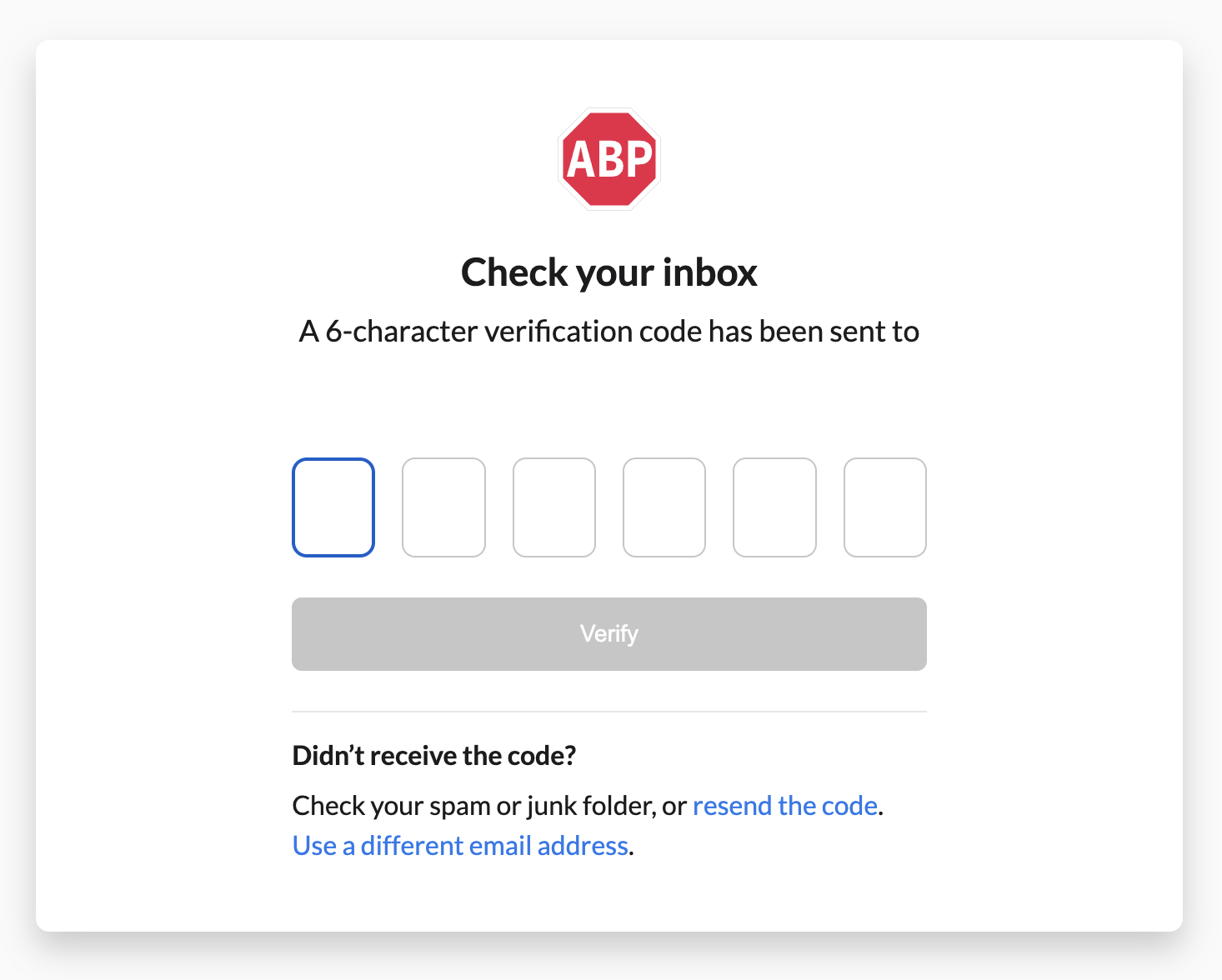
5. Enter the code in the field provided. 
 

https://eyeo.atlassian.net/wiki/download/attachments/1828683834/69c2d4fea3cde.44754898695187.png?version=1&modificationDate=1774376190738&cacheVersion=1&api=v2


Encountered a problem?

If you didn't receive a code, be sure to check your spam folder. For all other issues, please reach out to us for assistance: Submit a ticket.